What is BoslogShip?
BoslogShip is an online platform for comparing available shipping rates and buying shipping labels. Check rates free here, then sign in, complete the addresses, confirm a fresh quote and purchase your label.

Buy shipping labels online



Buy your shipping label through BoslogShip. Print it, attach it, then drop off your package with the matching carrier for eligible drop-off services.
Check rates free. No account required. No label is purchased by this check. Rates and savings vary.
Create Your FREE AccountCheck rates here, then sign in to confirm and buy your label.
Print your purchased label and attach it securely to your package.
Use an eligible drop-off location or follow your service's pickup instructions.
Fits your workflow
Enter details, compare rates and create a label.
Sync store orders and prepare shipments.
Import paid orders for rate comparison.
Sync shop orders and map products.
Map columns, review rows and ship in bulk.
Connect your WMS, OMS or shipping tools.
These screenshots use demonstration data. They do not show live rates or valid shipping labels.
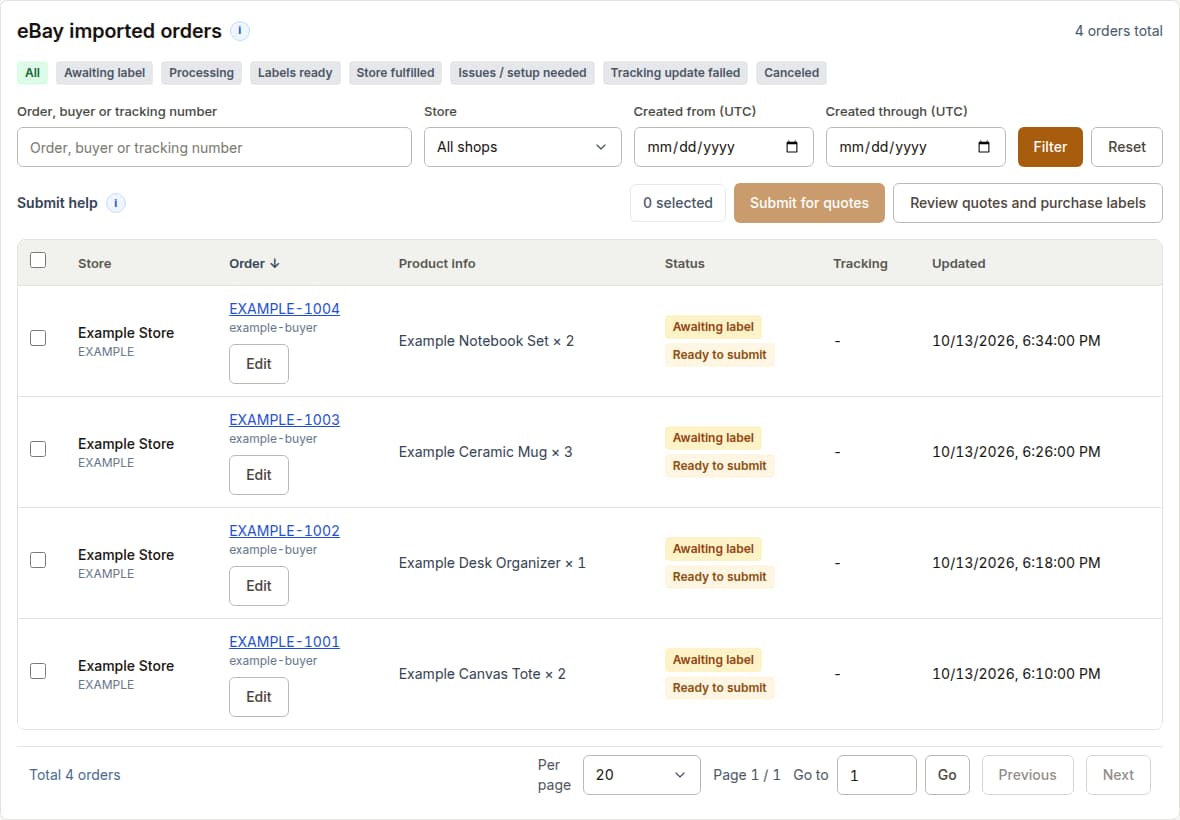
Review imported store orders and their preparation status before rate comparison and label purchase.
View full example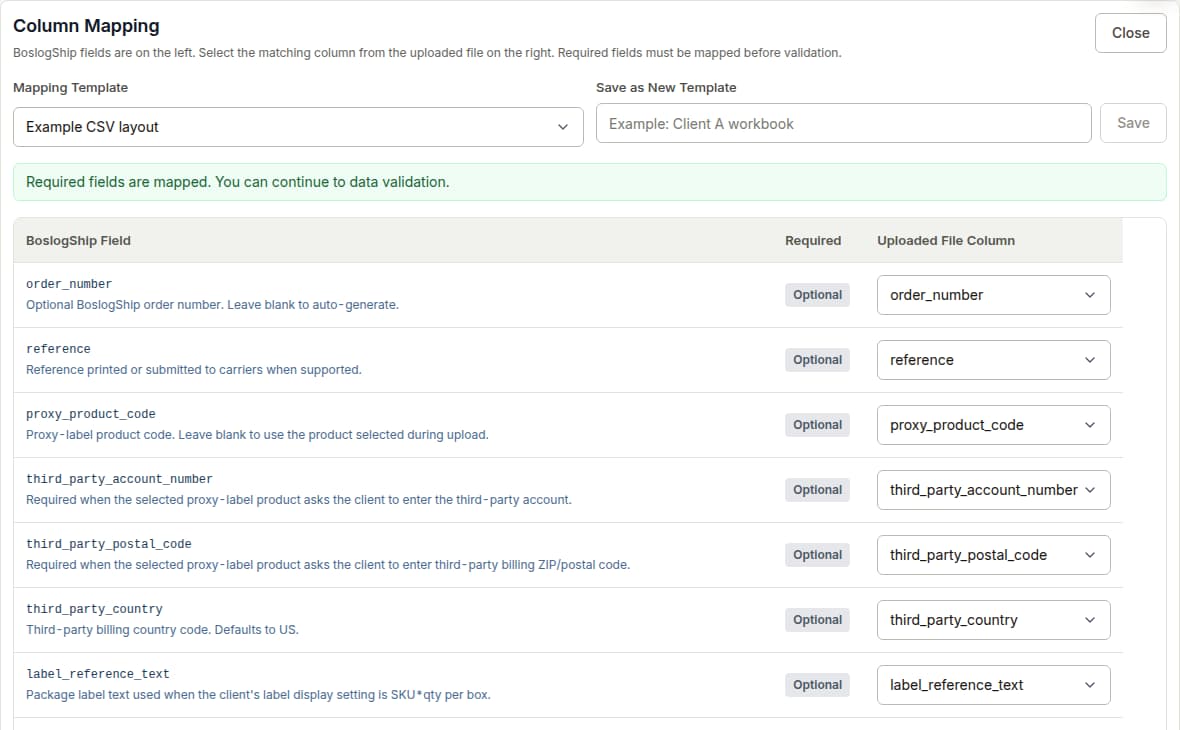
Match your spreadsheet columns to the shipping fields before reviewing rows.
View full example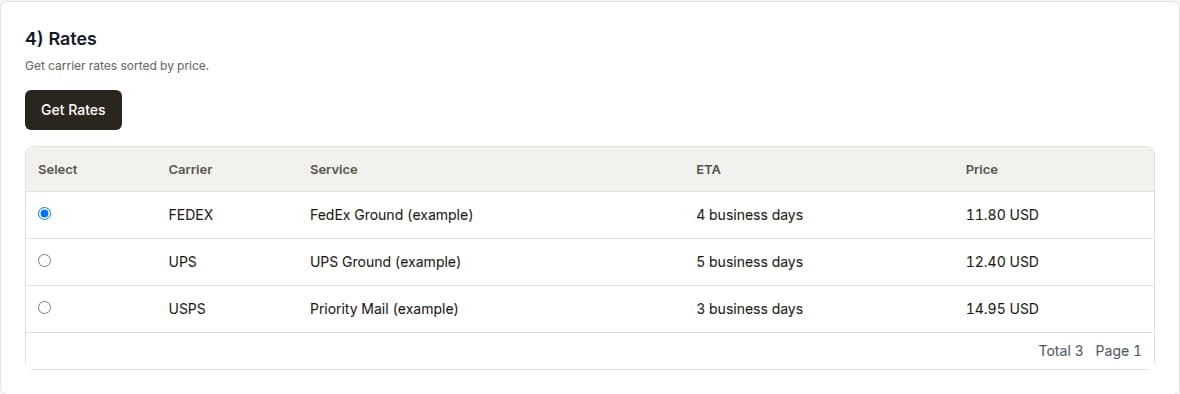
Compare the available services and review a quote before confirming a purchase.
View full exampleAffiliate Program
BoslogShip partners can share a referral link with individual shippers, ecommerce sellers, warehouses, 3PL teams, and businesses. Approved affiliates track attributed clients, commissions, balances, and payout requests in the portal.
BoslogShip is an online platform for comparing available shipping rates and buying shipping labels. Check rates free here, then sign in, complete the addresses, confirm a fresh quote and purchase your label.
The carrier you select delivers your package, not BoslogShip. For eligible UPS, USPS or FedEx drop-off services, print and attach your purchased label, then take the package to an accepting location for that carrier. Other services may require pickup arrangements.
Savings are not guaranteed. Compare the carrier, service, package details and any extra charges before buying. The checker shows available estimates; final services and prices require complete addresses and a fresh quote after sign-in.
No. The checker is read-only and does not accept label purchase fields.
The result uses the same default client group pricing assigned to new self-service accounts.
No. Those fields only help calculate savings. The lowest BoslogShip option still appears without them.
The checker is an estimate using ZIP codes and default client rates. Continue with your package inputs in the same browser, complete the full addresses and request a fresh quote. Services and final pricing depend on your account and shipment details; you confirm the purchase.
BoslogShip Intelligence
Evidence-led reporting for U.S. logistics operators, with dates, definitions and source links attached to material claims.
For U.S. Priority Mail not over 1 lb in Zone 1, published weight-based postage is lower than Small, Medium, and Large Flat Rate box postage in both price classes.
Read the analysisFinal U.S. commercial prices for October 4, 2026, through January 17, 2027, produce different lower-price results at the two weight profiles. The comparison does not establish Flat Rate eligibility.
Read the analysisUSPS will close all U.S. Post Office locations for Veterans Day on Nov. 11, 2026. Regular mail delivery and retail services resume Nov. 12.
Read the analysis